
The Authorized Representative (person responsible for completing the application) is able to share parts of an application for another individual to complete or a full section.
Single pages in the application can be "Shared" via email to another individual. The "Shared" Individual will only be able to see the specific page that was shared for completion
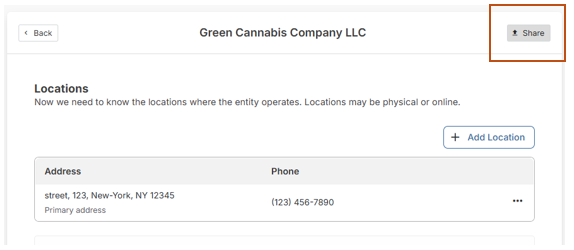
Additionally, the Authorized Representative can share an entire section of an application with another person.
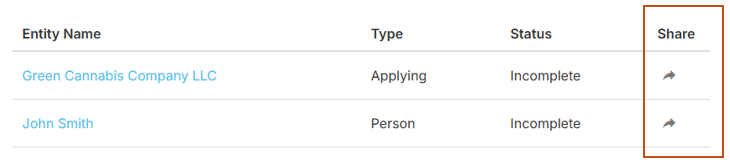
How to Share
#1. Click on the Share Icon
#2. A pop-up window will be displayed requesting the name and email of the person who you wish to share the application with.
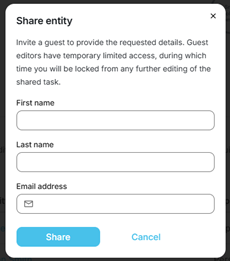
#3. After entering the information and clicking Share, the below message will appear:
- Click on Close to continue to continue with the Share
- Click Restore to cancel the Share.
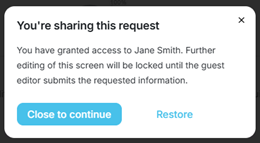
NOTE: The application will not be able to be edited again until the person the application was shared with completes their portion.
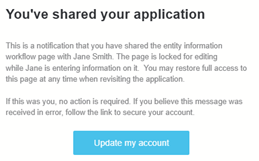
You will receive an email notifying you that you have shared the application:
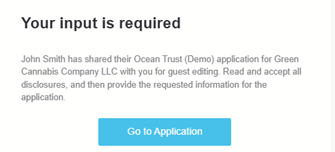
The person who you shared the application with also receives an email:
Shared User Steps
1. The Shared User will receive an email.
2. The Shared User will create a secure password and agree to any disclosures. This is the same experience as the Authorized Representative.
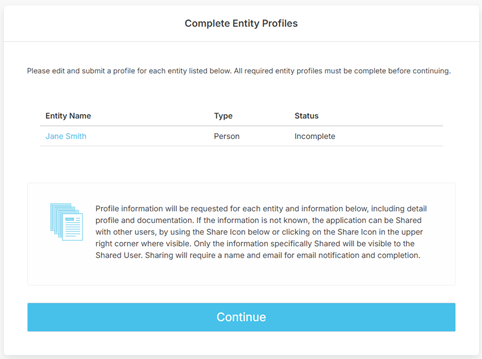
3. Once the Shared User has logged in, the Complete Entity Profiles page will be displayed.
4. The Shared User should select Continue or click on the entity name to move forward with the application and enter in the requested information.
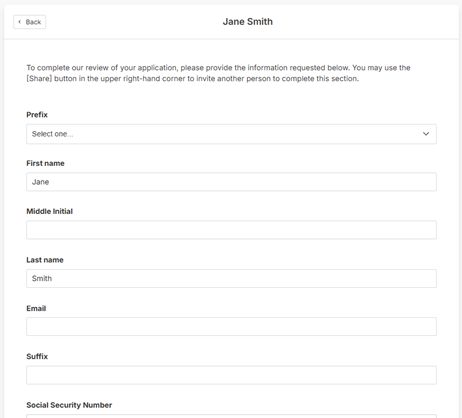
The shared user will be brought to the appropriate profile page, once all required information is entered, they will click Continue at the bottom of the page.
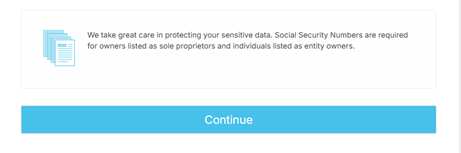
The shared user will return to the complete entity profiles page, with the status now showing complete. After they click Continue, the below pop-up message will appear:
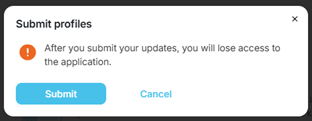
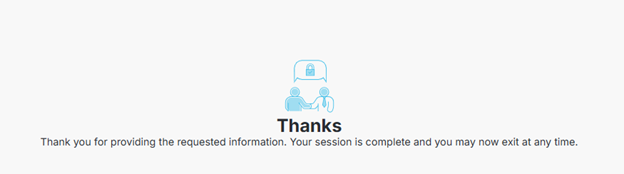
Clicking Cancel will allow them to continue editing. Submit will finish their portion of the application and they will see the below message:
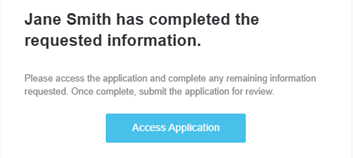
You will receive a notification that the application is now ready for you to continue editing:
Was this article helpful?
That’s Great!
Thank you for your feedback
Sorry! We couldn't be helpful
Thank you for your feedback
Feedback sent
We appreciate your effort and will try to fix the article