
Our online portal will guide you through the application process from start to finish. Your unique login keeps your information safe, allows you to pick up where you left off, and gives you one place to provide everything we need to complete our review. Below are details about the application workflow.
- Email invite is sent to the Authorized Representative for the Entity – use the link to create a secure password.
- Attest that information supplied is true and authorized and consent to share.
- Review and agree to Terms and Conditions and Disclosures for Application (email after acceptance will be sent for retention).
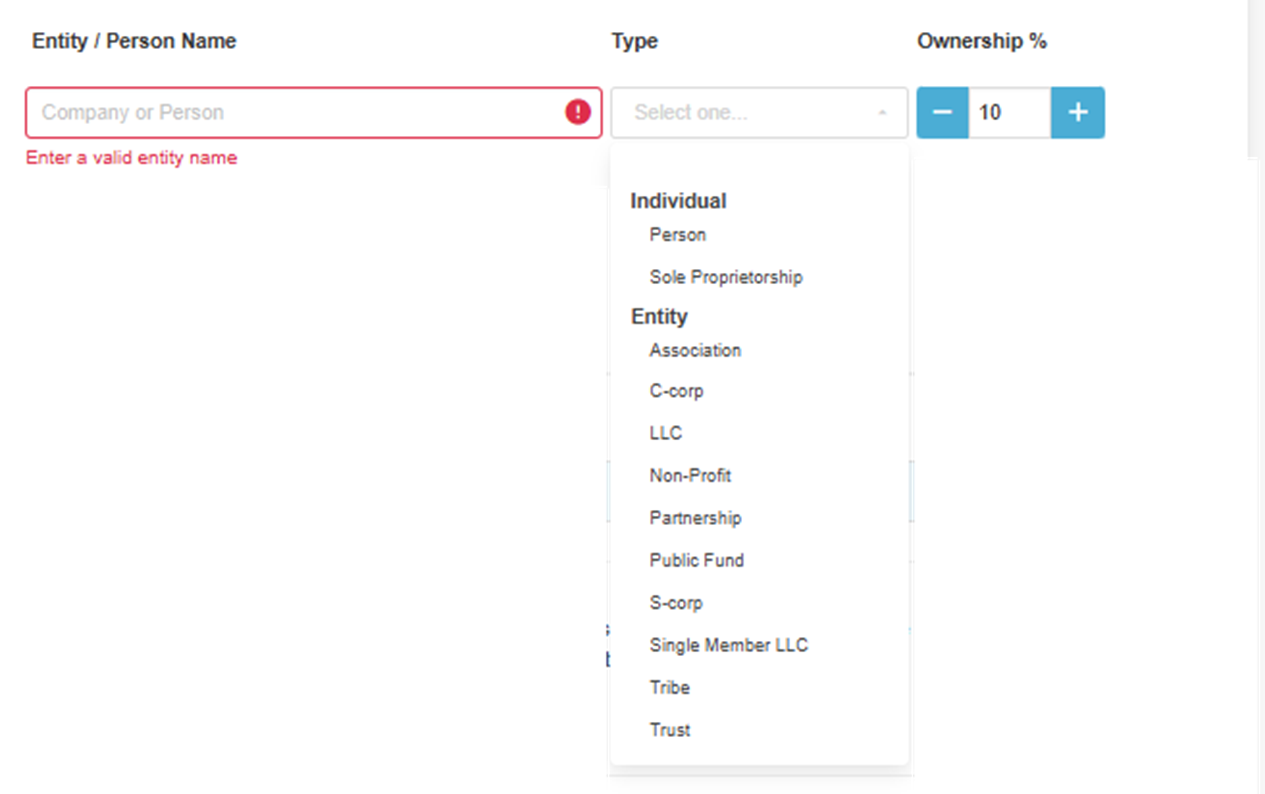
- Beneficial Ownership Detail - Ownership would include any Entity(s) or Person(s) that owns a part of the Entity.
- Type the Entity/Person Name, choose the appropriate Type from the drop down and enter the % ownership.
- Choose Person or Sole Proprietorship for individual ownership,
- or Entity Type (LLC, C-Corp, etc) for Entity Ownership
- Type the Entity/Person Name, choose the appropriate Type from the drop down and enter the % ownership.
- Indicate the Controlling and Authorized Signers for the Entity
- At least one Controlling Person and Authorized Signer must be provided.
- Provide any upstream Entity ownership (if applicable)
- Indicate the Entity(s) applying for Products/ Services.
- Choose the Products or Services of interest.
- Complete the Entity/Individual Profile Information being requested.
- Profile Information can be Shared with others to complete if information is not known.
- Application may not be submitted until all information is complete.
- Use the Share feature on the Complete Entity Profile page or the Share Button in the upper right corner of a page.
- Application will ask for a Share Name and Email. Shared person will create secure login and can complete only the shared information in the application.
- Once complete, the Authorized Representative for the Entity will be notified via email.
- Profile Information can be Shared with others to complete if information is not known.
- Submit the application.
Was this article helpful?
That’s Great!
Thank you for your feedback
Sorry! We couldn't be helpful
Thank you for your feedback
Feedback sent
We appreciate your effort and will try to fix the article