Once a Client Operations user has been created and assigned notification groups (see here for instructions on creating a client user), a Client Administrator may access quick actions from the Users page. These include View Details, Reset Password, or Disable User.
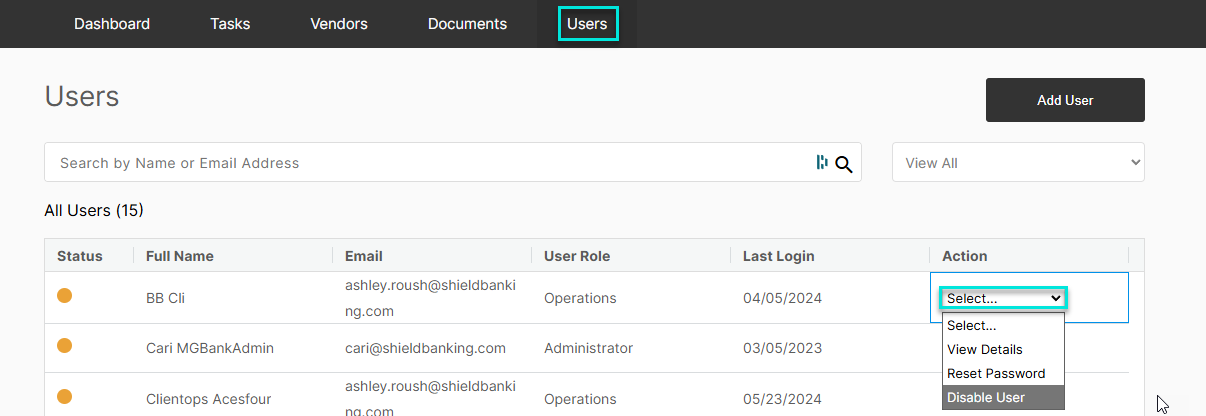
To filter by user type, select "View All" and a drop down will appear to show Administrators or Operations users. Please note that the quick action options are only available for Operations users (if you are an Admin user).
View Details-
After selecting "View Details" from the Action drop down, you can view user information, contact information and the user status which includes the last time the password was updated and any "Disabled during Time Period" information.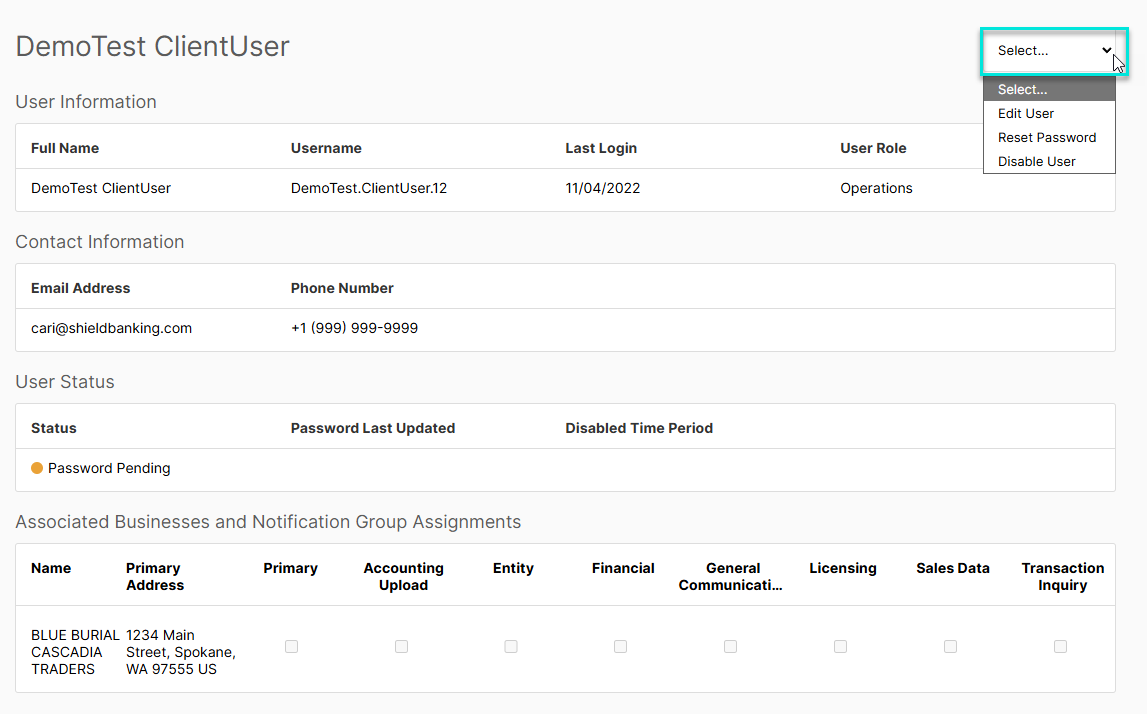
On this screen, the user's email address, phone number, associated businesses and group assignments may be edited. by selecting "Edit User" from the drop down in the top right corner. "Reset Password" and "Disable User" are also available from this drop down.
Reset Password-
After selecting "Reset Password", a confirmation pop-up will appear asking if you would like to send a password reset email. To proceed, click Reset. 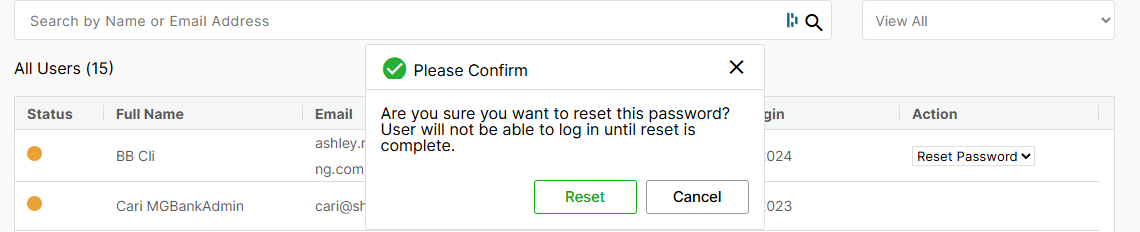
Disable User-
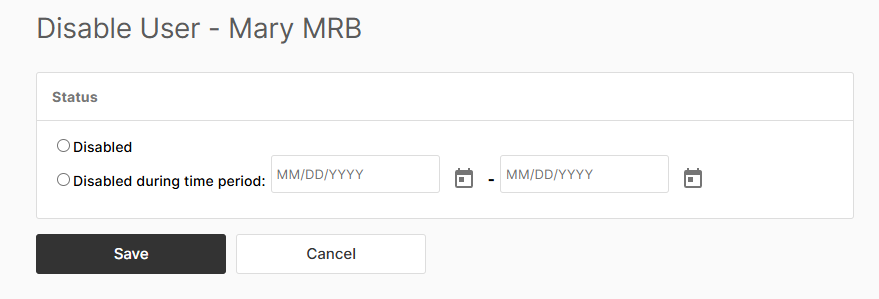
When "Disable User" is selected, you will be prompted to choose either Disabled or Disabled during time period. If the user only needs to have their access temporarily disabled, please select Disabled during Time Period and enter the date range. If the user needs their access permanently diabled, select Disabled. Once a user is disabled, the action is permanent and the account cannot be reactivated. If access to the client portal is needed again, a new user must be created.
For more details on how to change what type of tasks you receive notifications for, click here.
Was this article helpful?
That’s Great!
Thank you for your feedback
Sorry! We couldn't be helpful
Thank you for your feedback
Feedback sent
We appreciate your effort and will try to fix the article